
INTERNORGA ConnectOnboarding for exhibitors
Start your trade fair success at full power
Welcome to the exhibitor onboarding for INTERNORGA CONNECTINTERNORGA CONNECT is your central platform for optimally preparing your digital presence and getting the most out of the event.
On this page, we will guide you step by step through all the important functions of INTERNORGA CONNECT: from registration and login to managing your team and efficient lead tracking during the event.
Our goal: to give you a smooth start and enable you to make the most of all the functions.
Access to Connect
Exhibitors can access Connect in two ways: Exhibitors can access Connect in two ways:
1. As a contact person (Admin)
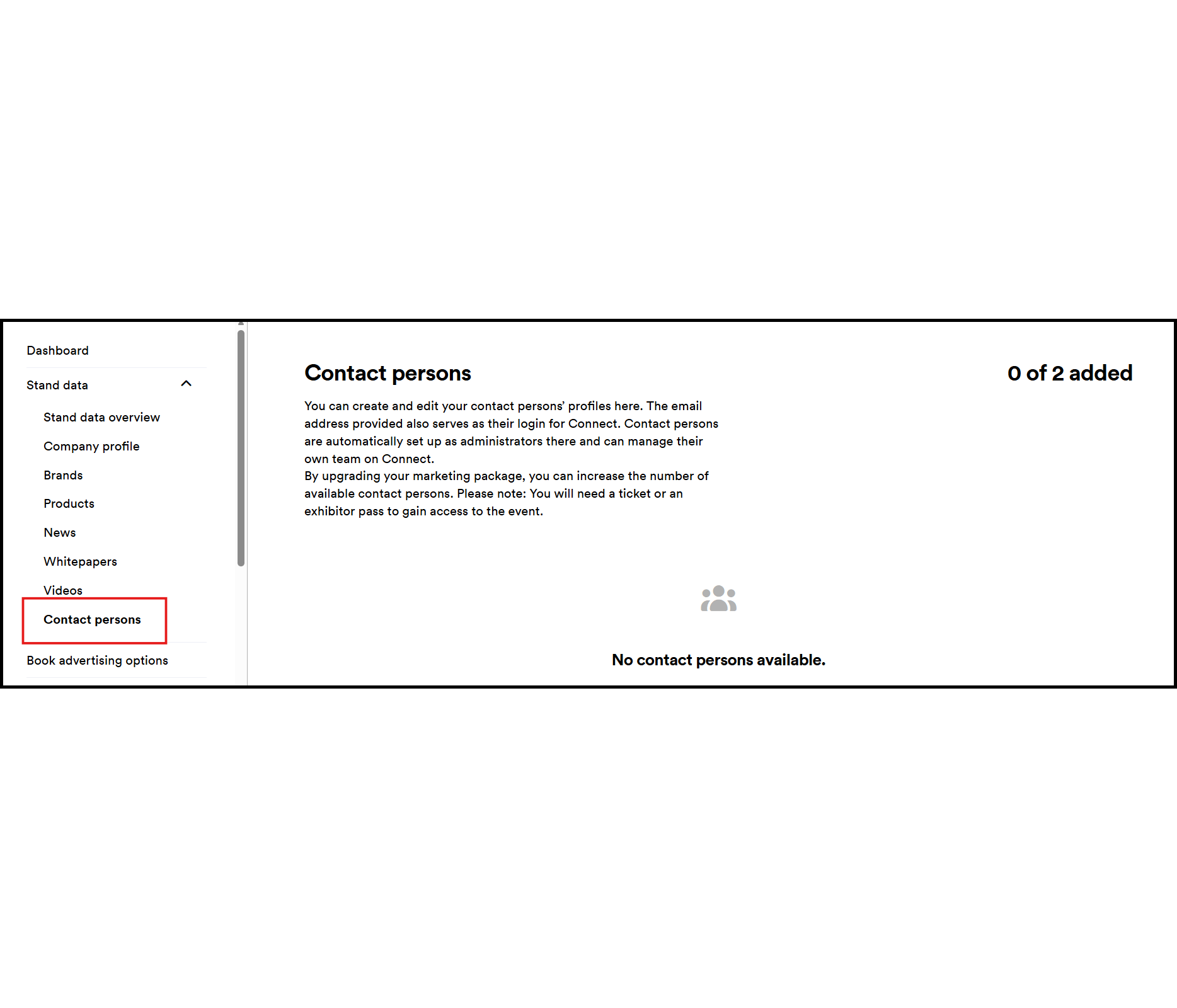
Contacts for the company profile can be created via My Portal and are automatically granted admin access to Connect.
- The email address on file for the contact person serves as the login for Connect.
- Contact persons are automatically designated as admins of their company profile on Connect and receive access to the back office.
- This process may take up to 24 hours.
2. With an Exhibitor Pass
Exhibitors can access Connect with a valid exhibitor pass.
- The email address used in the ticket shop serves as the login for Connect.
- The ticket must be purchased through the online ticket shop to gain access to Connect. Unfortunately, tickets and ticket codes purchased or redeemed on-site at the box office do not include access to Connect.
Access with Exhibitor Pass
Exhibitors can purchase their codes for exhibitor passes from the Exhibitor Ticket Shop.
The Exhibitor Ticket Shop is located in Online Service Center (OSC) and on My Portal.
Important:
- Crew passes do not grant access to Connect.
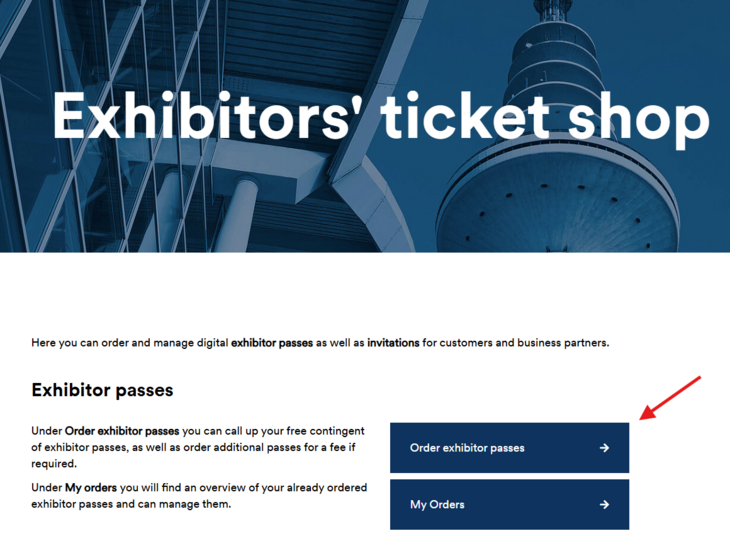
Team members must redeem the code they have received via the trade fair’s official online ticket shop.
- If you do not have an account, you must register individually.
- Verification of your exhibitor pass may take up to 24 hours.
Important:
- Please use the email address of the person who will be using the ticket. This email address is also used to access Connect and cannot be changed at a later date.
- Tickets and codes purchased or redeemed at the on-site ticket offices do not include access to Connect.
Log in to Connect using the same email address that was used to redeem the exhibitor pass code in the official ticket shop and complete your profile.
- There are no passwords.
- Each time you log in, a verification code will be sent to your email address.
- This also applies to logging in to the app.
Team-Management & Back Office
Requirements:
- Only Connect admins or team managers can invite team members.
- Team members must have valid exhibitor passes.
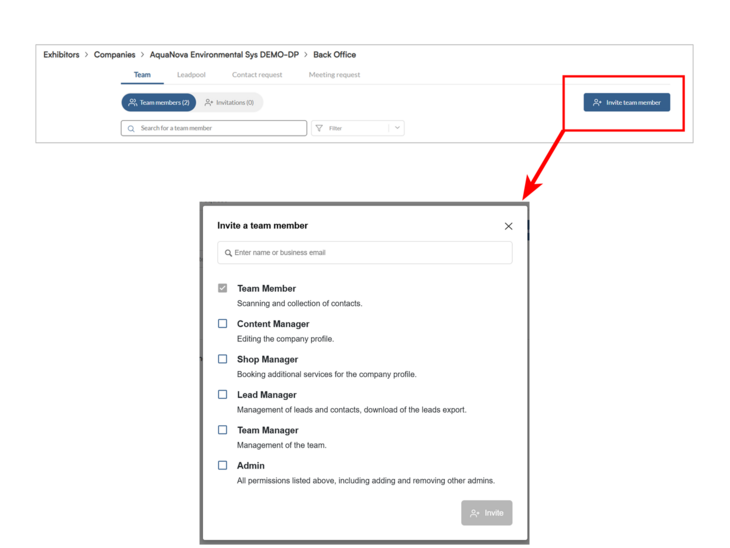
Invitations are sent from the back office of the exhibitor profile:
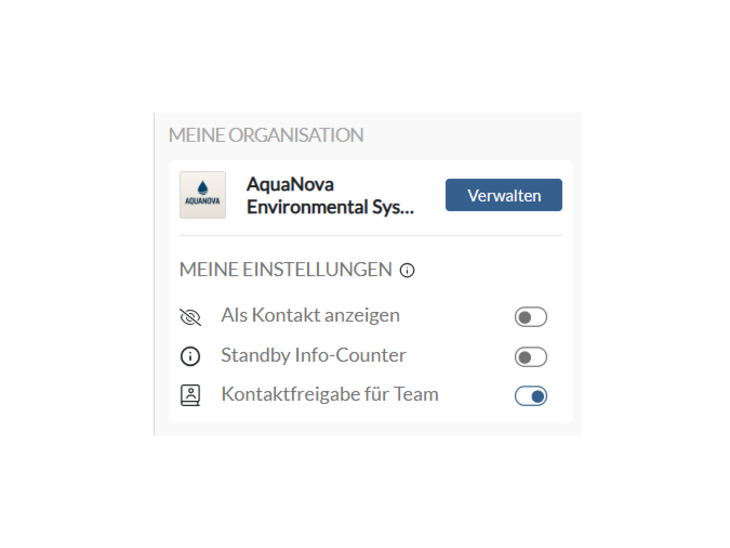
- In the profile settings on the right, click on ‘Manage’ under ‘My organisation’.
- Click on ‘Invite team member’.
- Enter the name of the team member and search for them.
- Assign a role. The following roles are available:
- Team Member (standard)
Access to the back office, can scan and collect leads. - Lead Manager
Additionally: Export leads. - Team Manager
Additionally: Invite and remove team members. - Admin
Additionally: Remove admins.
- Team Member (standard)
- Send invitation.
| Connect Admin (automatic) | Connect Admin, Team Manager, Lead Manager, Team Member | |
|---|---|---|
| How do I get the role? | Added as a contact person in My Portal. | Added directly in Connect by other admins. |
| Do I need an exhibitor pass to access Connect? | No | Yes |
| Will I have access to my company’s back office straight after logging in for the first time? | Yes | No, only after being invited to join the team |
| Do I have access to the event? | No, you need to purchase an exhibitor pass for this. | Yes, as there is already an exhibitor pass. |
Please contact your organisation’s Connect admins, e.g. the contact persons listed in the organisation profile.
If you are an administrator for your company and do not see the “My Organisation” section and your company on the right-hand side of your profile settings, please contact us by email.
These are two different functions within Connect:
| Contact persons (visible on public company profile) | Team members in Back Office (not visible on public company profile) |
|
|
If a person is replaced as a contact person in My Portal, the previous person is automatically removed from the list. If this person already has an active Connect profile, they can still be added as a team member in the back office, but will not appear automatically as a public contact person.
Leadmanagement
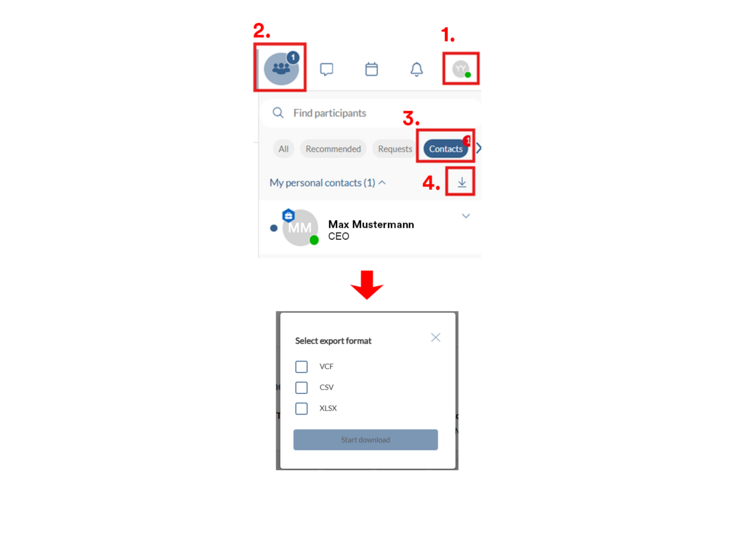
- Click on the profile picture in the top right-hand corner
- Click on the first icon, ‘Participants’
- Go to ‘Contacts’
- Click on ‘Export contacts’
Following formats are available:
- VCF
- CSV
- XLSX
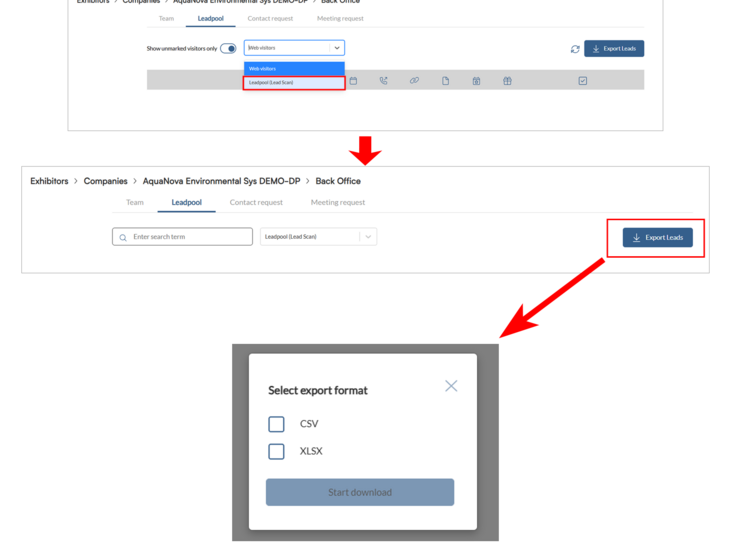
Prerequisite: The Advanced or Premium package has been purchased in My Portal.
- In the ‘Back Office’, switch to the ‘Lead Pool’ tab
- Select ‘Lead Pool (Lead Scan)’ from the drop-down menu
Following formats are available:
- CSV
- XLSX
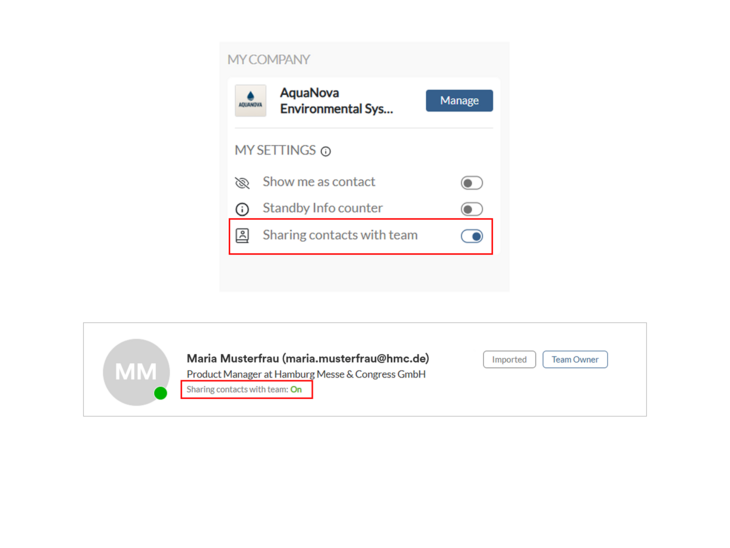
In order to collect leads together, you must
- at least have the Advanced Package and
- all team members must have enabled contact sharing.
The status of contact sharing for each individual team member is visible in the team overview.
Collected leads are then stored in the company's shared lead pool.
Need assistance?
If you have any questions or need support regarding Connect as an exhibitor, don't hesitate to reach out.
We're here to help and will get back to you as soon as possible.